 16
TapMac turns a tap on your MacBook into an action
Organize Music.app libraries, analyze, repair, convert and play local audio
Local Music Organizer is a native macOS application for managing, analyzing, maintaining, converting, and playing local music collections. It works with Apple's Music.app libraries and with standalone audio files, giving users practical tools for large libraries without relying on cloud services.
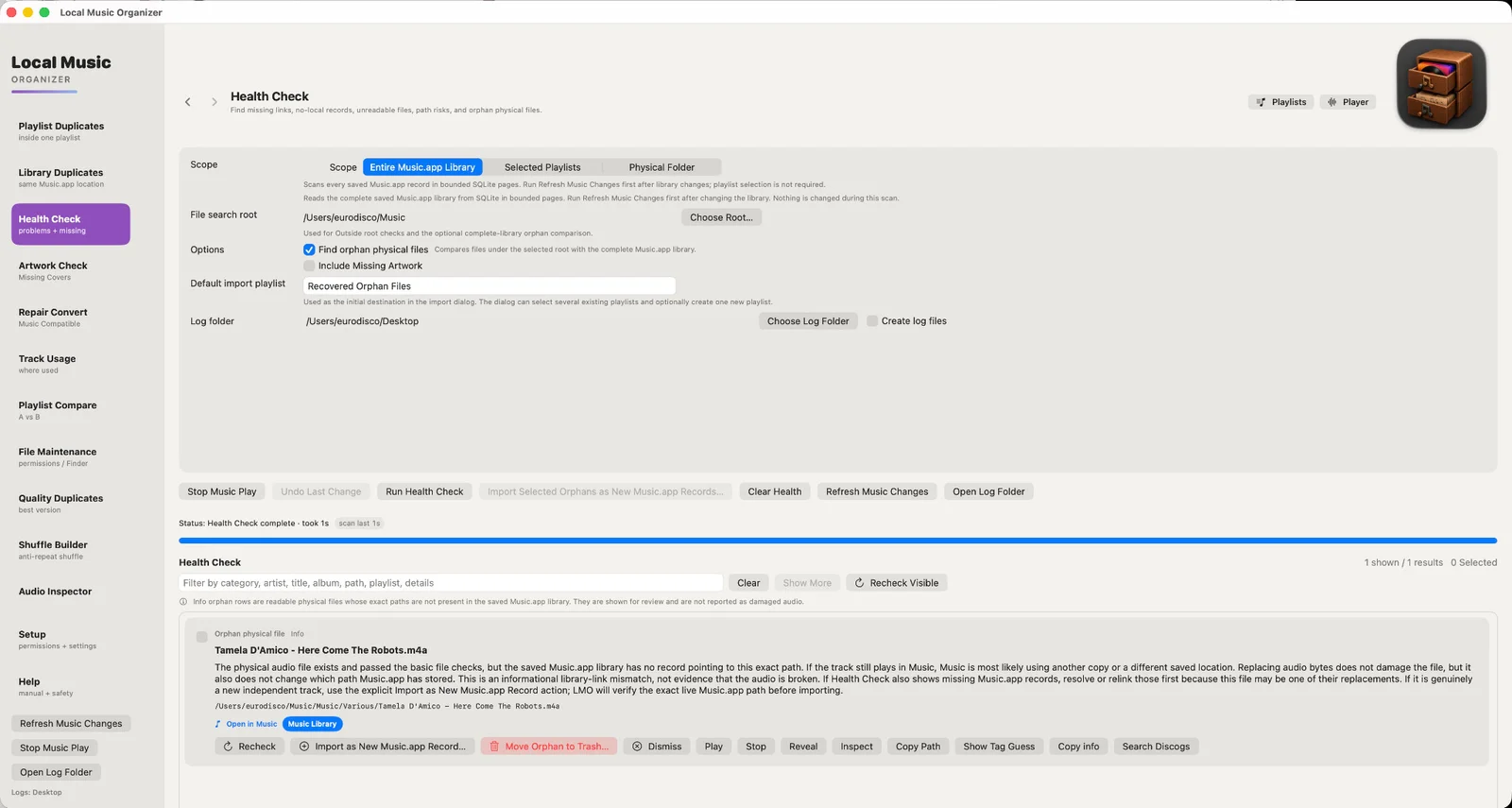
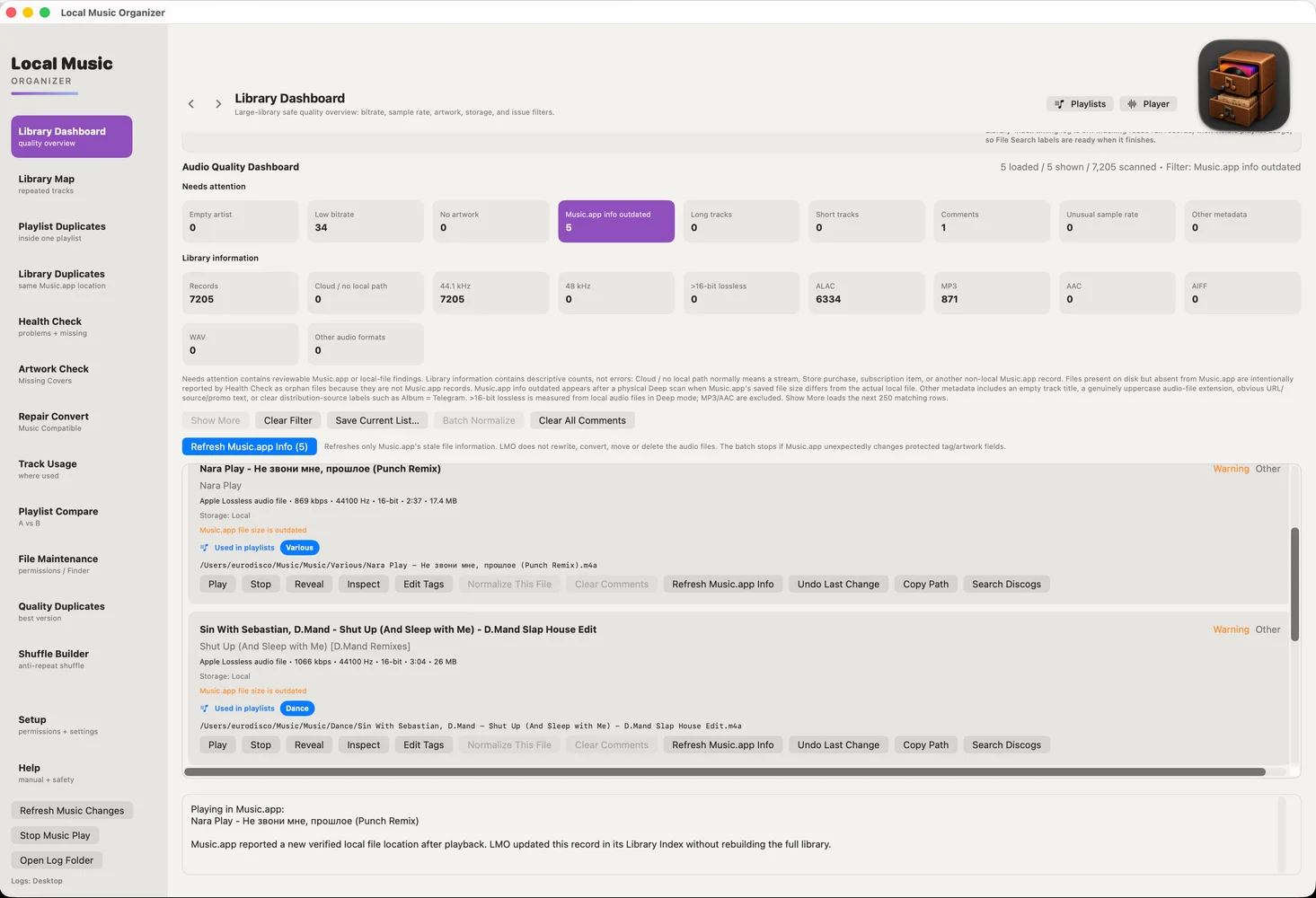
LIBRARY ORGANIZATION Build a persistent SQLite index to search and navigate large collections. Health Check finds missing or inaccessible files, orphan audio files, and incomplete albums based on track and disc numbering. Review duplicate playlist entries, duplicate library records, and different physical versions of the same recording. Track Usage, Library Map, and Playlist Compare reveal where songs appear and how playlists overlap. Supported relinking tools can reconnect moved files and folders while preserving existing Music.app records.
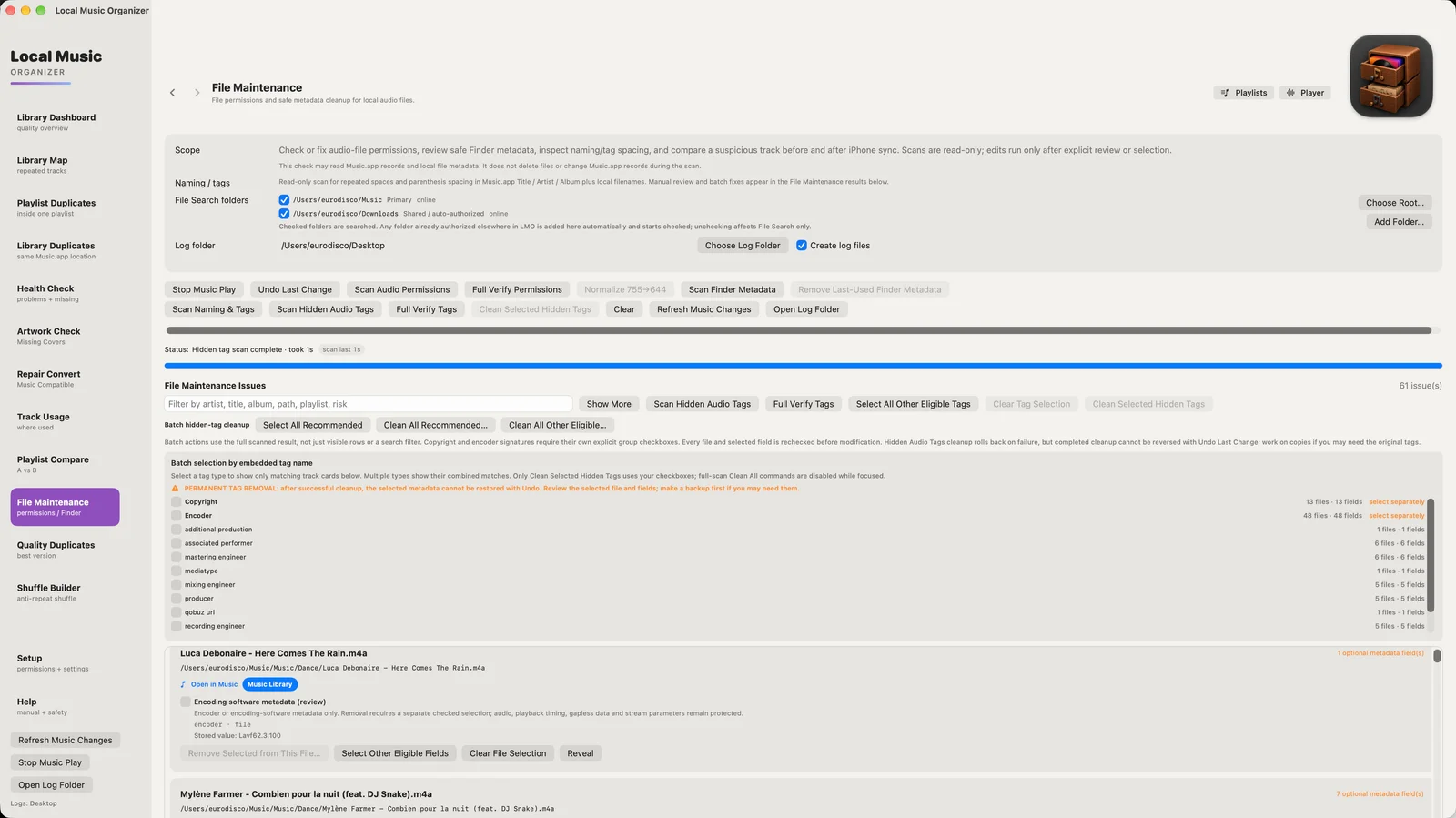
FILE MAINTENANCE Inspect file permissions, Finder metadata, filenames, and embedded audio tags. Identify unwanted encoder, downloader, and promotional information, then selectively clean supported fields. Review naming inconsistencies and supported Music.app metadata before applying corrections. Scans are read-only; file-changing actions require user confirmation and include verification and safety checks where supported. Audio streams are not re-encoded merely to remove eligible metadata.
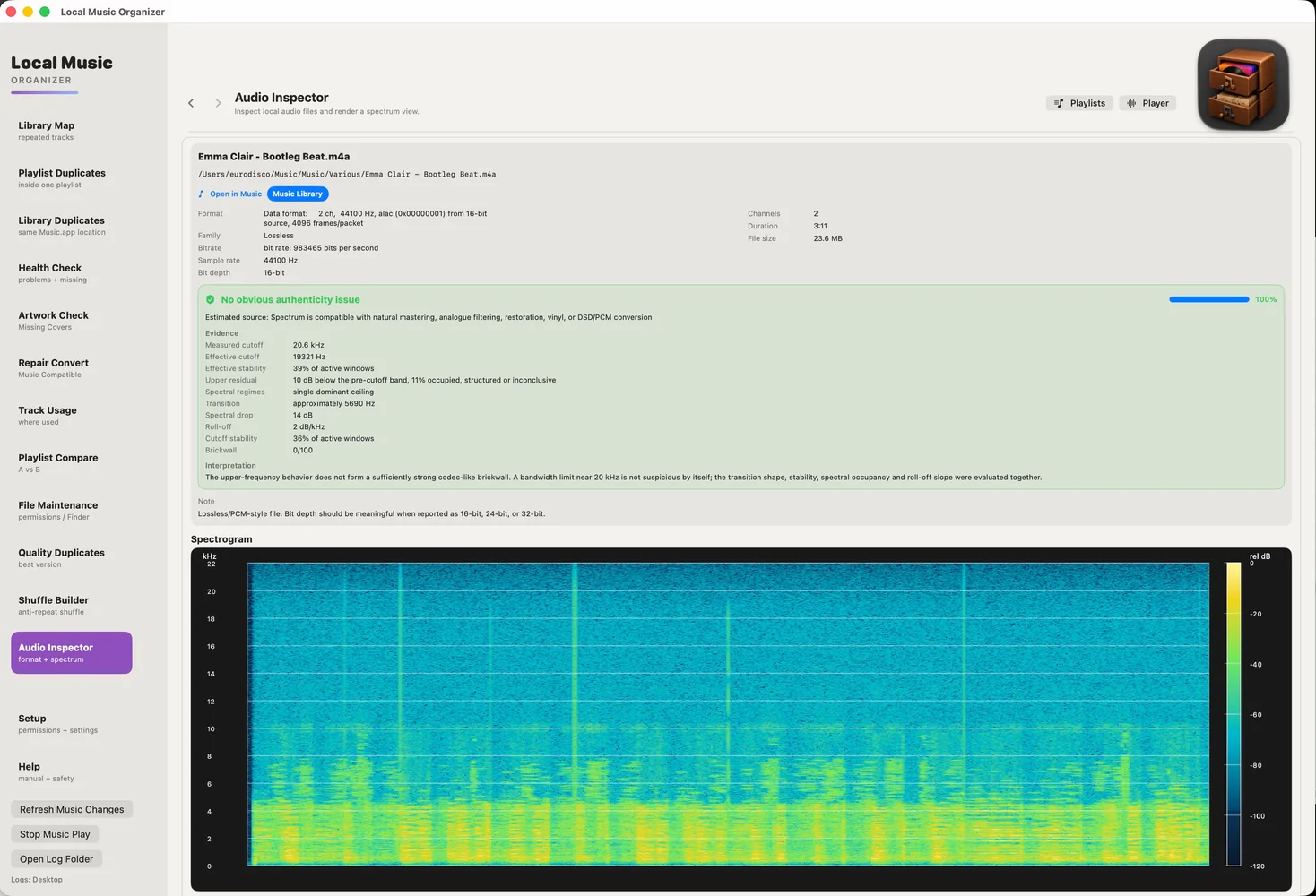
AUDIO INSPECTOR AND AUTHENTICITY Examine codec, container, bitrate, sample rate, bit depth, channels, duration, and file size. View a detailed spectrogram to investigate the actual frequency content. Audio Authenticity Analyzer highlights signs of possible lossy-to-lossless transcoding, unusual frequency cutoffs, or sample-rate upscaling. Findings are technical indicators for review, not absolute judgments of recording quality.
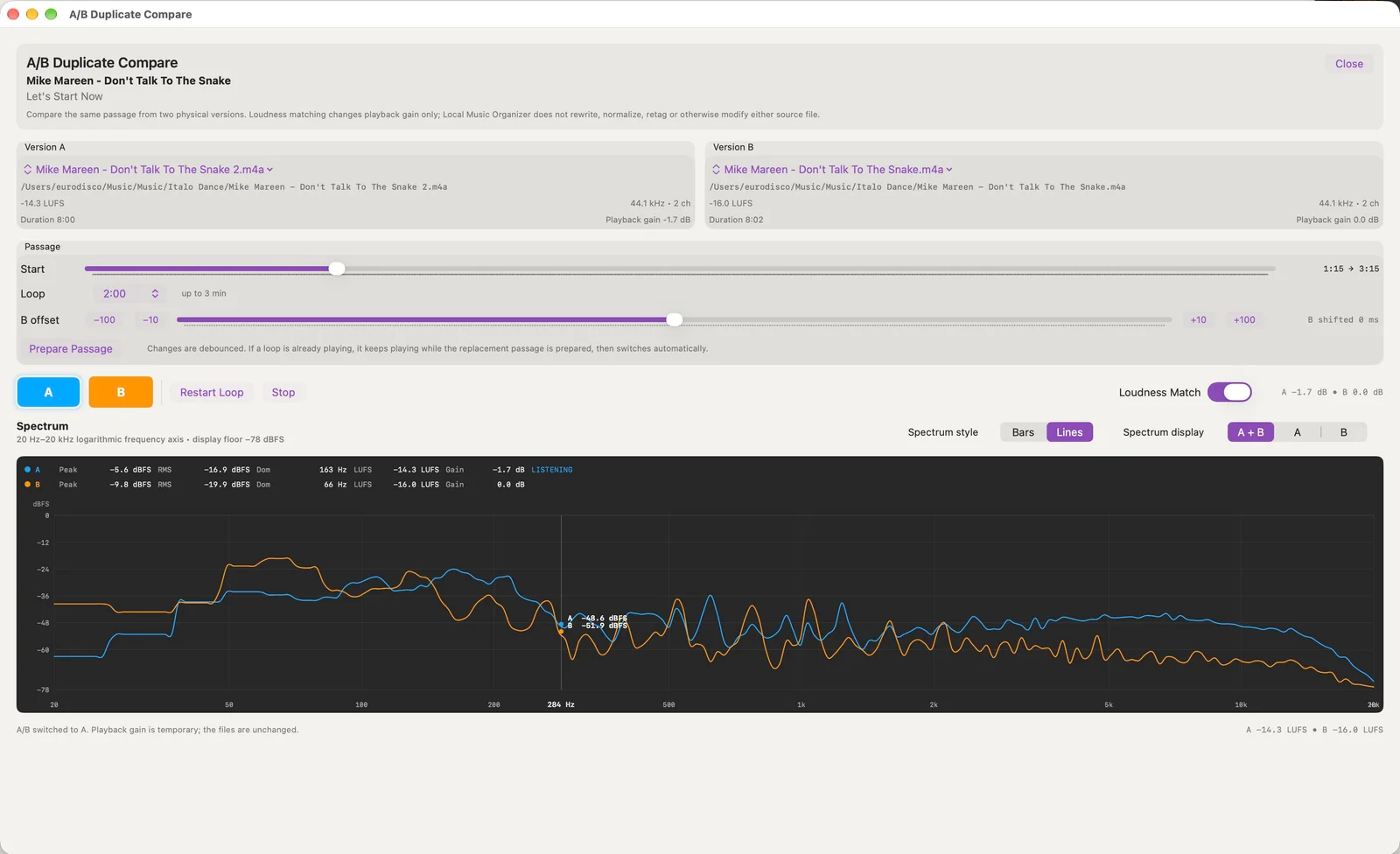
REAL-TIME A/B COMPARISON Compare two physical versions of a song while listening to the same passage. Adjust timing alignment, apply optional playback-only loudness matching, and switch instantly between versions. Live spectra and level measurements help reveal differences between masters without altering either source file.
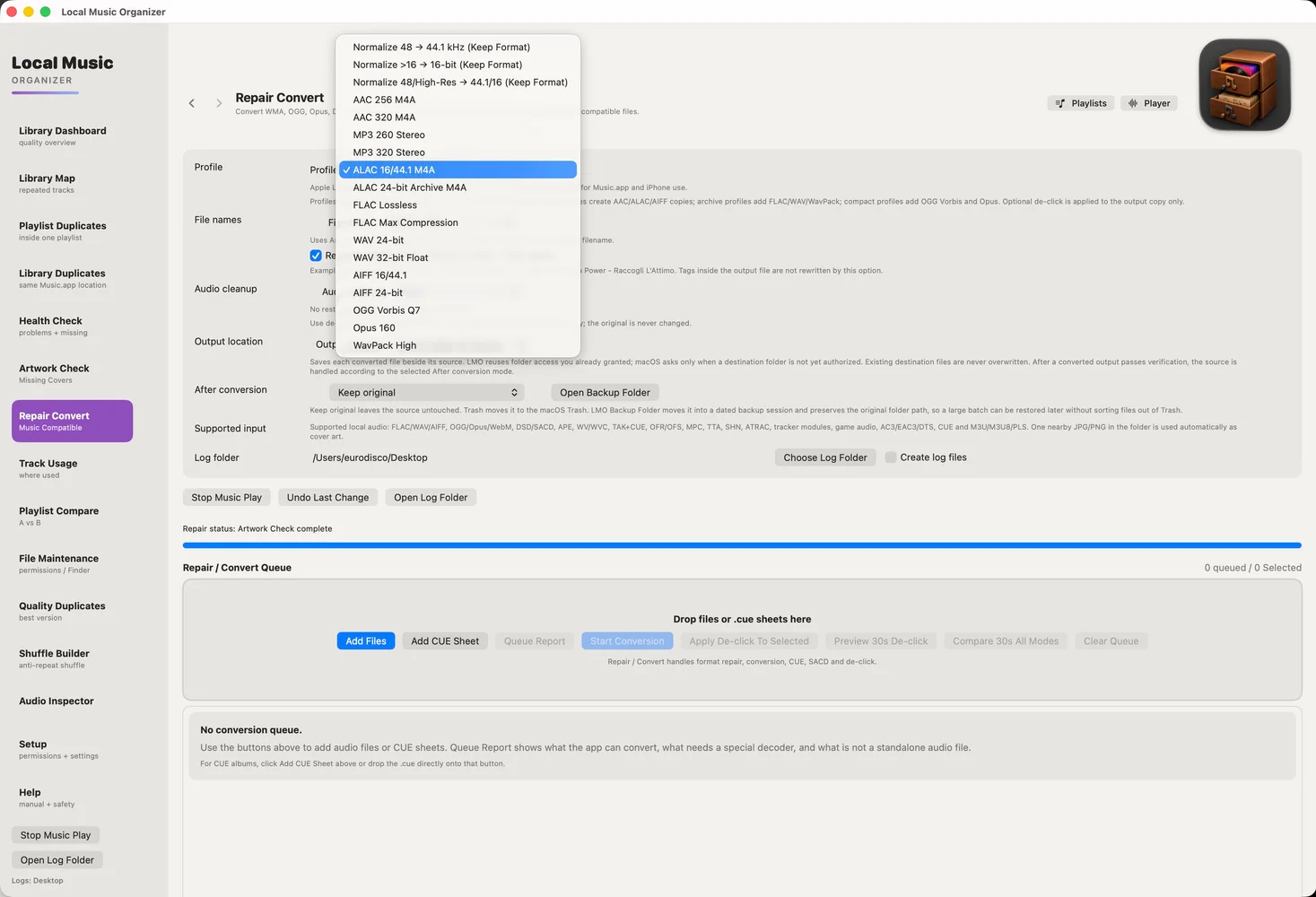
REPAIR AND CONVERSION Convert common and specialist audio formats, including FLAC, ALAC, WAV, AIFF, MP3, AAC, APE, TAK, WavPack, CUE albums, DSF/DFF, and SACD ISO. Batch workflows support selected normalization and repair operations. Output is verified before the user chooses whether to keep, archive, or move the original file to Trash. Direct file handling also works outside Music.app, including drag-and-drop workflows.
SHUFFLE BUILDER Create new shuffled playlists with spacing rules for artists, albums, song titles, and related musical projects. Custom artist groups help prevent the same singer from appearing too frequently through different bands or solo releases. Original playlists remain unchanged.
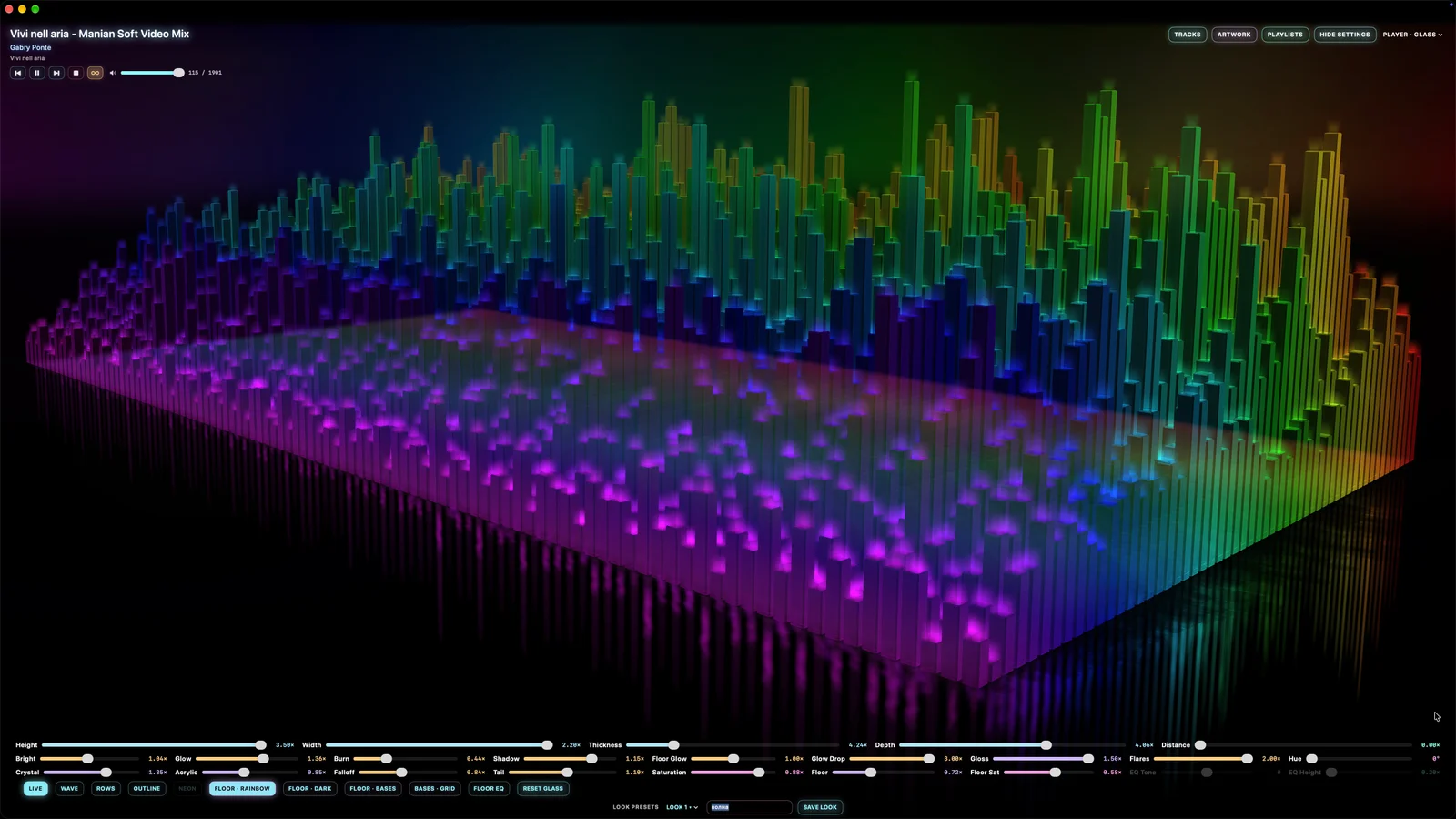
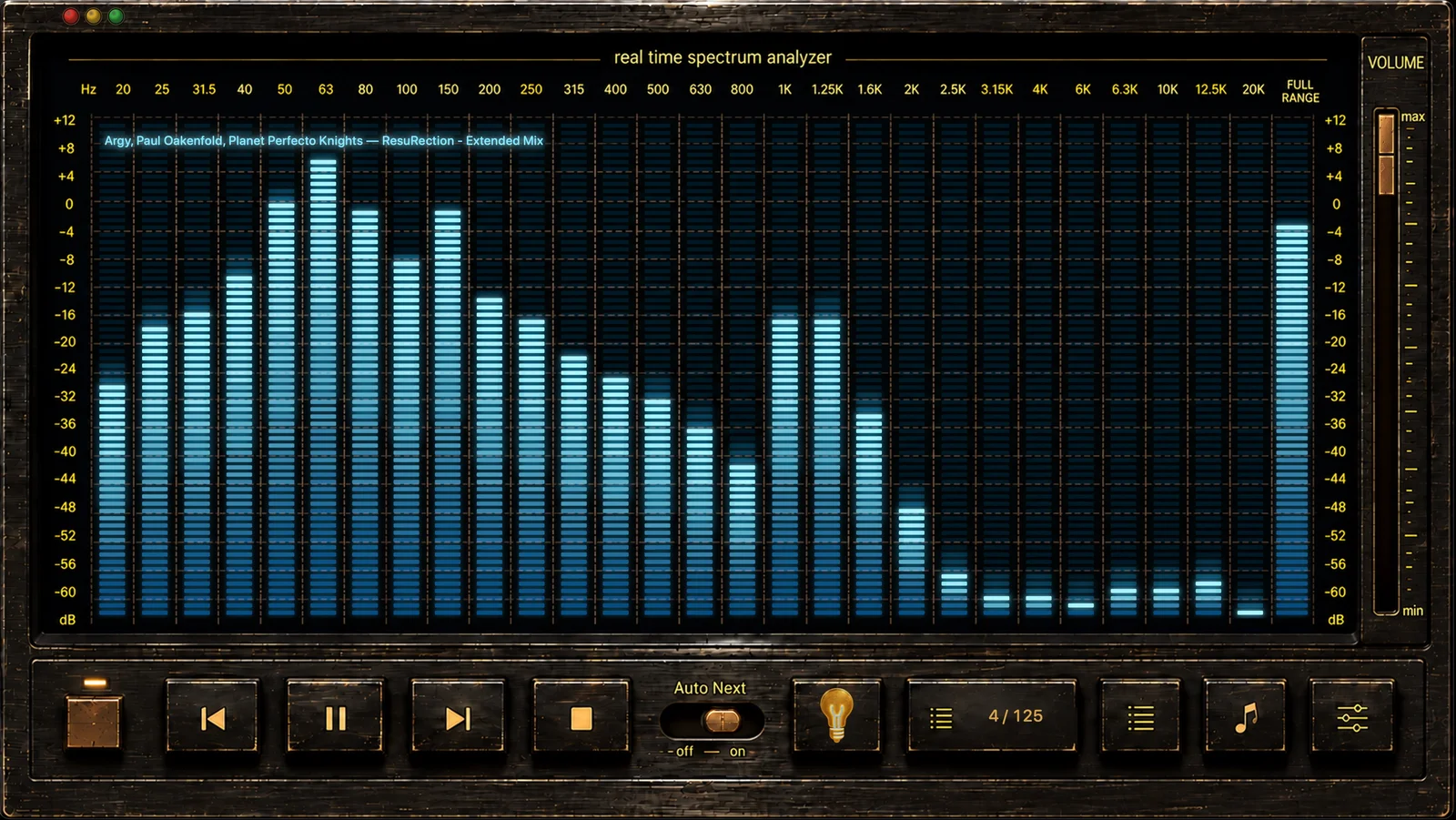
THREE BUILT-IN PLAYERS ORIGINAL combines real-time spectrum analysis, waveform navigation, and technical playback information. CLASSIC offers a hardware-inspired interface. GLASS provides a configurable 3D spectrum with depth, lighting, and saved visual presets. Compact Mini Player modes offer convenient controls. The players share a single playback engine, queue, and volume state, and can play readable local audio independently of Music.app.
PRIVACY AND PRICING Audio inspection, conversion, and library analysis run locally on the Mac. Music files are not uploaded to a cloud service, and no separate account is required. Local Music Organizer supports macOS 14 or later on Apple Silicon and Intel Macs. A free 3-day trial provides full access, followed by a one-time $29.99 purchase. No subscription or recurring charges.
Created by an Apple computer specialist who has maintained Macs since 1998 and collected music since the early days of iTunes, Local Music Organizer grew from a personal Shuffle Builder into a broad toolkit for keeping a long-established music collection organized and enjoyable.
Local Music Organizer is a Mac app, available on Web and macOS. Local Music Organizer is a paid product. Key features include find missing music files in your library, detect and review duplicate tracks, compare different recordings of the same song and verify audio quality claims. It integrates with Music.app. It is built by Sergey Belenky. It launches on DodoLaunch in week 50 of 2026.
Prices as listed by the maker. Check the website for current pricing.
| Product | Pricing | Platforms | Rating |
|---|---|---|---|
| Local Music Organizer | Paid | Web, macOS | – |
| Gettapmac | From $7.99/mo | macOS | 4.8 (4) |
| Freshly Squeezed | Free trial | macOS | 4.0 (1) |
| Split | Paid | macOS | 5.0 (1) |
| Filesmac | Free trial | macOS | – |
Honest reviews from real users help others decide.
Local Music Organizer is a paid product. Listed plans: Paid at $29.99/one-time. Prices are as listed by the maker; check the website for current pricing.
No. Local Music Organizer is a paid product. The maker does not list a free plan.
Local Music Organizer is available on Web and macOS. It integrates with Music.app.
Local Music Organizer is a Mac app. Local Music Organizer is a native macOS application for managing, analyzing, maintaining, converting, and playing local music collections. It is listed in Mac Apps on DodoLaunch.
Popular alternatives to Local Music Organizer in Mac Apps include Gettapmac, Freshly Squeezed, Split and Filesmac. They are ranked by reviews, votes and fit on the Local Music Organizer alternatives page.
Local Music Organizer is scheduled to launch on DodoLaunch in week 50 of 2026.
Local Music Organizer is built by Sergey Belenky.
16TapMac turns a tap on your MacBook into an action
 9
Freshly Squeezed - A powerful batch image resizing tool for Mac
 8
Pair two Mac windows; one divider resizes both.
 8
A native macOS file manager and code editor
 8
Maclip is a fast, private clipboard manager for Mac
 8
Stop keeping your to-do list by hand. Let Pippin do it.
Opens your assistant with a question about us. Read what it says.
Structured, machine-readable access to every launch.
 ChatGPT
 Claude
 Perplexity
 Grok
Discussion.
Ask the makers the question you'd ask on a sales call.