The free SEO checker and nofollow link highlighter
Check any page's SEO in one click: links, meta tags, headings, images, schema, Open Graph and AI readiness. No account, nothing tracked.
 In review on the Chrome Web StoreOr use the web dofollow checker ›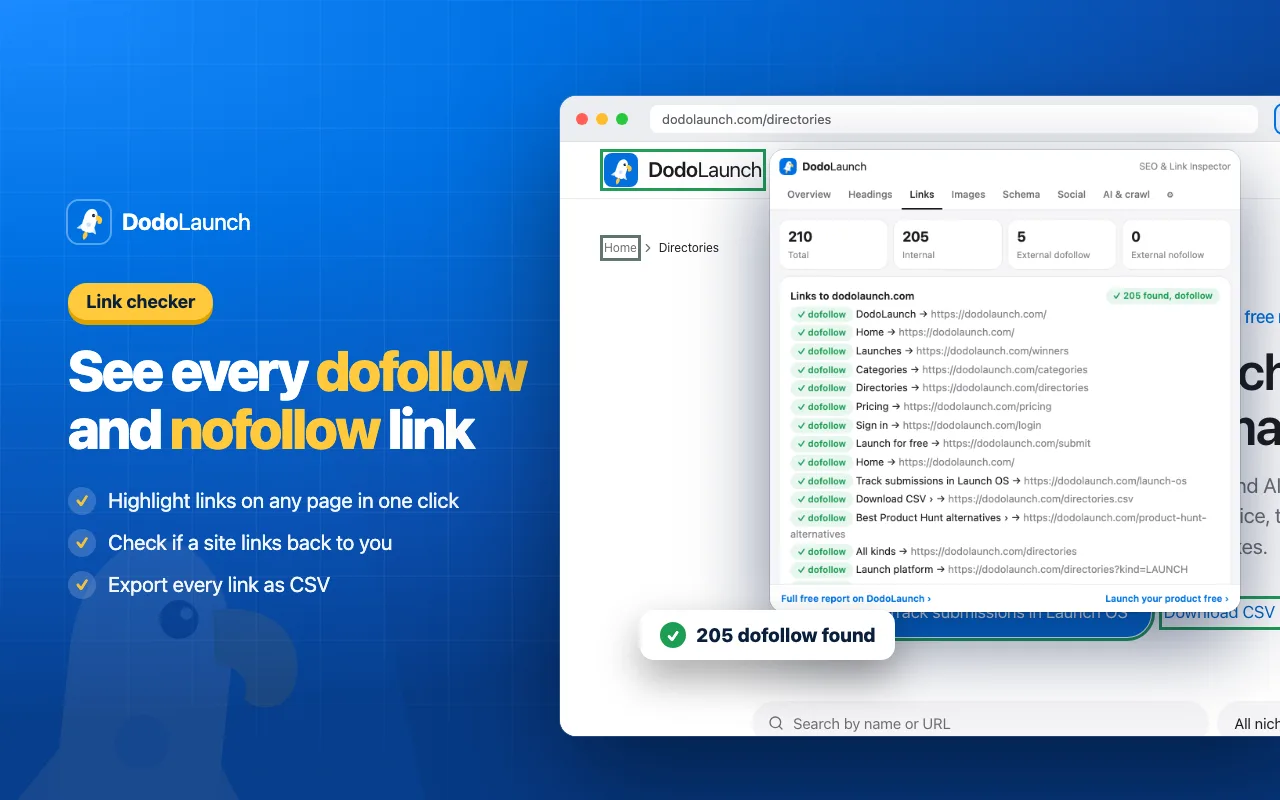
What the extension checks
The DodoLaunch SEO extension is a free Chrome extension for founders, marketers and SEO specialists. Click its icon on any page to see the page's meta tags, indexability, headings, links, images, structured data, social tags and AI crawler rules in eight tabs, and to highlight every dofollow and nofollow link on the page itself.
Nofollow and dofollow link checker
Highlight every link on a page: green for dofollow, red for nofollow, amber for sponsored and UGC. Add your domain once and see if the page links back to you, with which anchor text and link type. Export all links as CSV.
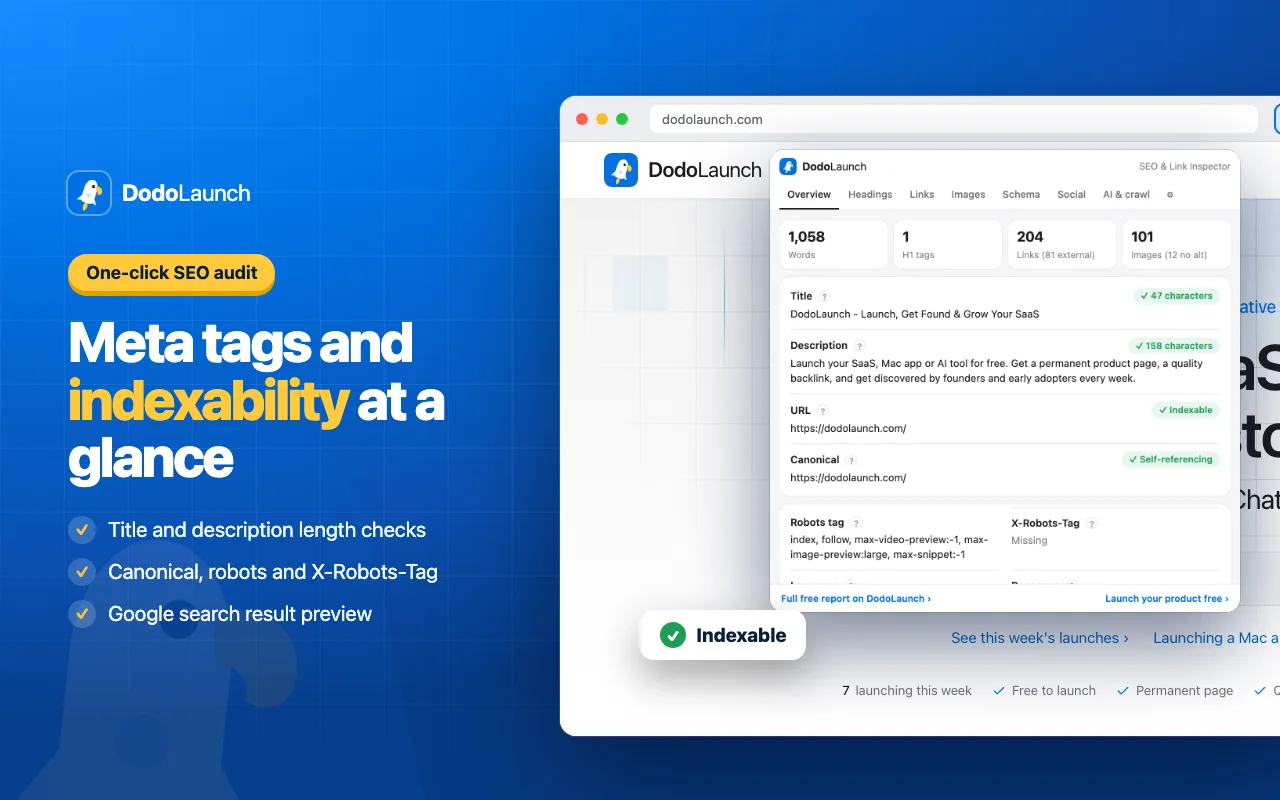
Meta tags and indexability
Title and meta description with character counts, canonical URL, robots meta tag and X-Robots-Tag header, HTTP status, word count and a Google search result preview. See at a glance whether a page can be indexed.
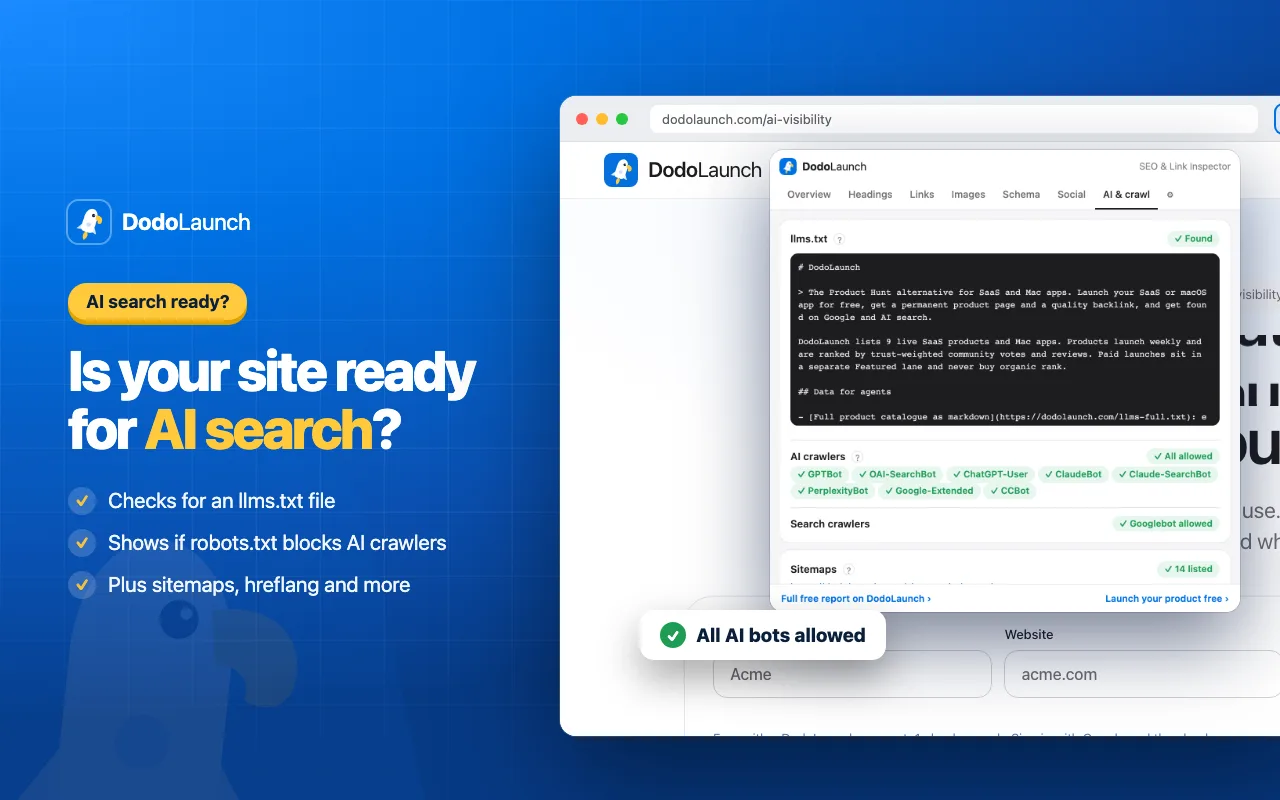
AI search readiness (llms.txt)
Checks for llms.txt and reads robots.txt to show whether GPTBot, OAI-SearchBot, ClaudeBot, PerplexityBot, Google-Extended and other AI crawlers can reach the site. Few SEO extensions check this yet.
Open Graph and Twitter card checker
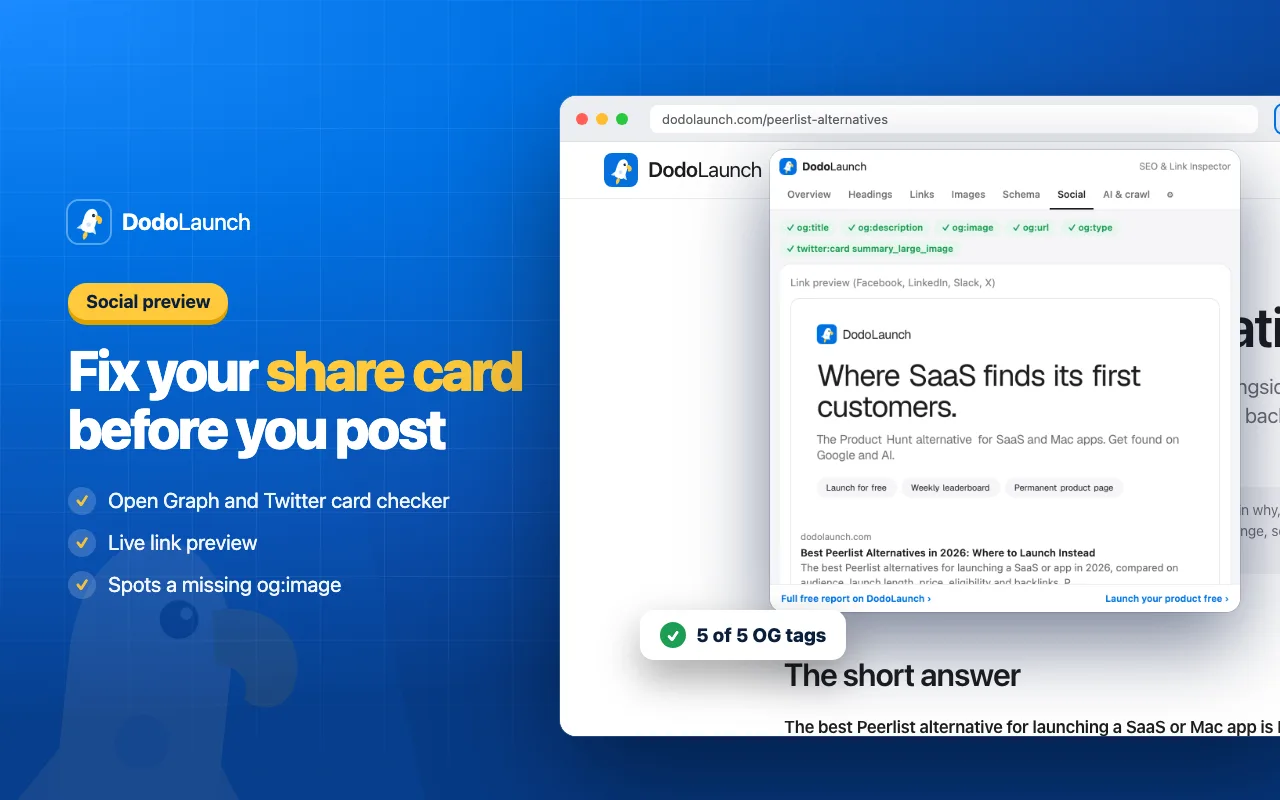
Checks og:title, og:description, og:image, og:url, og:type and twitter:card, and previews the share card people see on LinkedIn, Facebook, Slack and X.
Headings and schema markup
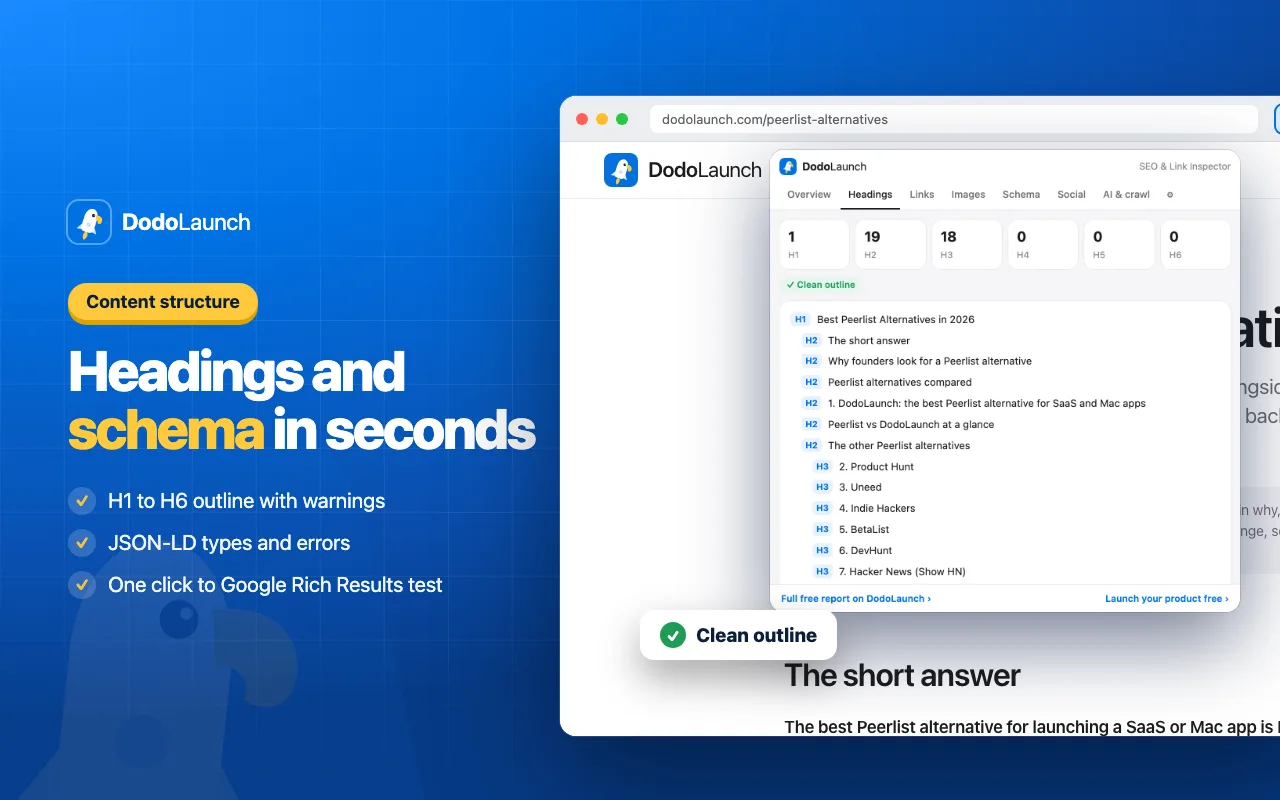
The H1 to H6 outline with warnings for a missing or duplicate H1 and skipped levels, every JSON-LD type on the page, invalid structured data, and one click to Google's Rich Results Test.
How to use it
- Add the extension to Chrome and pin it to your toolbar.
- Open any website and click the DodoLaunch icon.
- Start on Overview, then use Links, Headings, Images, Schema, Social and AI & crawl for detail.
- Checking backlinks? Enter your domain in settings, then open each directory listing and look at Links.
Private by design
The extension runs entirely in your browser and reads a page only when you click its icon. It sends nothing to DodoLaunch or anyone else, has no account and no tracking, and asks for just three permissions: activeTab, scripting and storage. Read the full privacy policy.
Need more than one page? The free dofollow checker, Open Graph preview and AI visibility check run on the web, and Launch OS checks every directory link you've built.
Frequently asked questions.
Check your first page in one click.
Free, private, and made by DodoLaunch, the launch platform that shows founders what their launch actually did.
In review on the Chrome Web Store ChatGPT
 Claude
 Perplexity
 Grok
Grok