
 16
TapMac turns a tap on your MacBook into an action

Tiles every Mac window the moment it opens. No dragging or resizing.
HyperTile is a menu bar app for macOS that tiles your windows for you. Open an app and it drops into its own tile, and the others make room. Close it and the rest grow back. You never drag a window to a screen edge or resize one by hand.
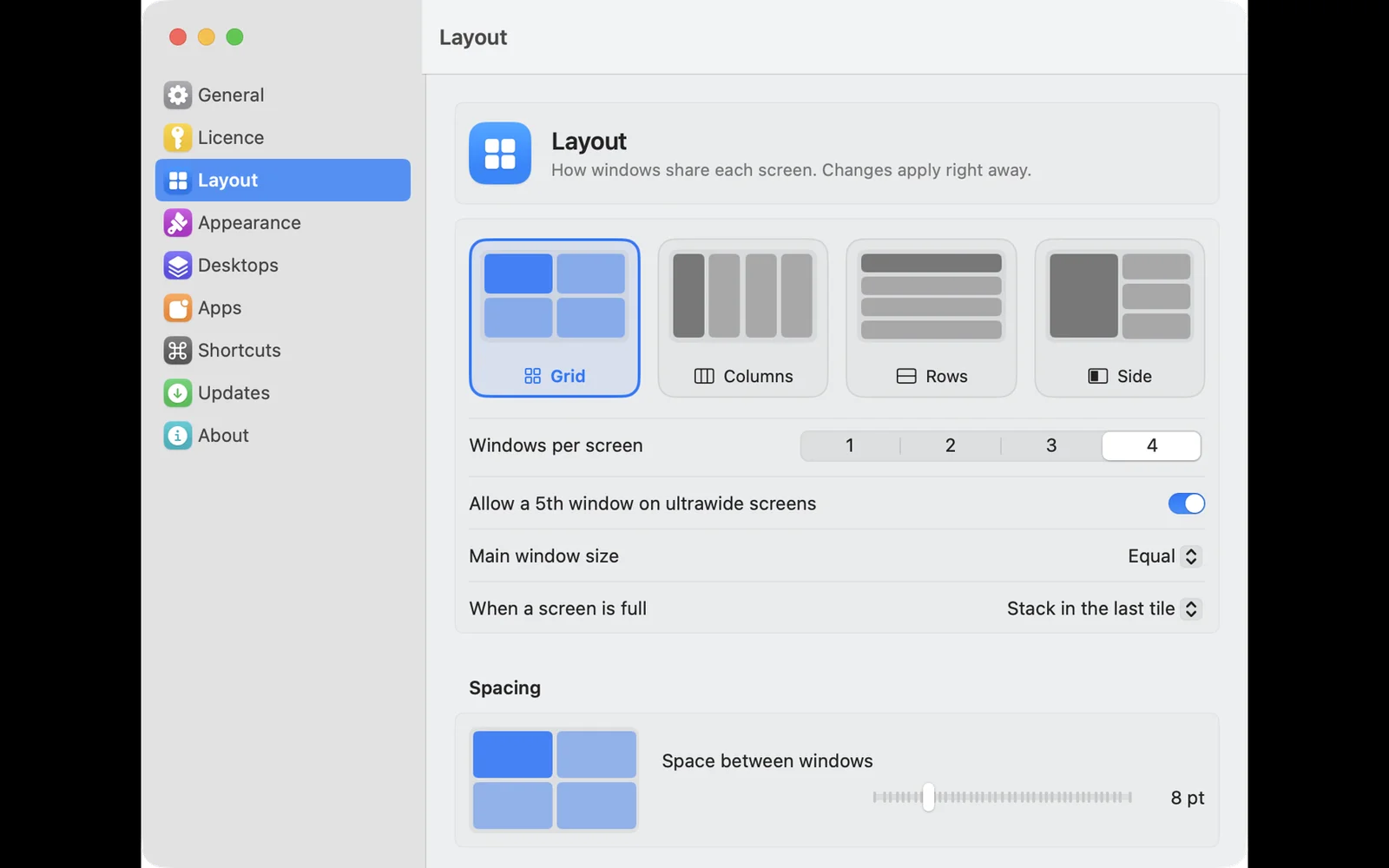
Four layouts: Grid, Columns, Rows and Side, where one window takes the big pane and the rest stack next to it. Hit a shortcut and the layout changes, with the windows rearranging to match. You can run 1 to 4 windows per screen, or five on an ultrawide display.
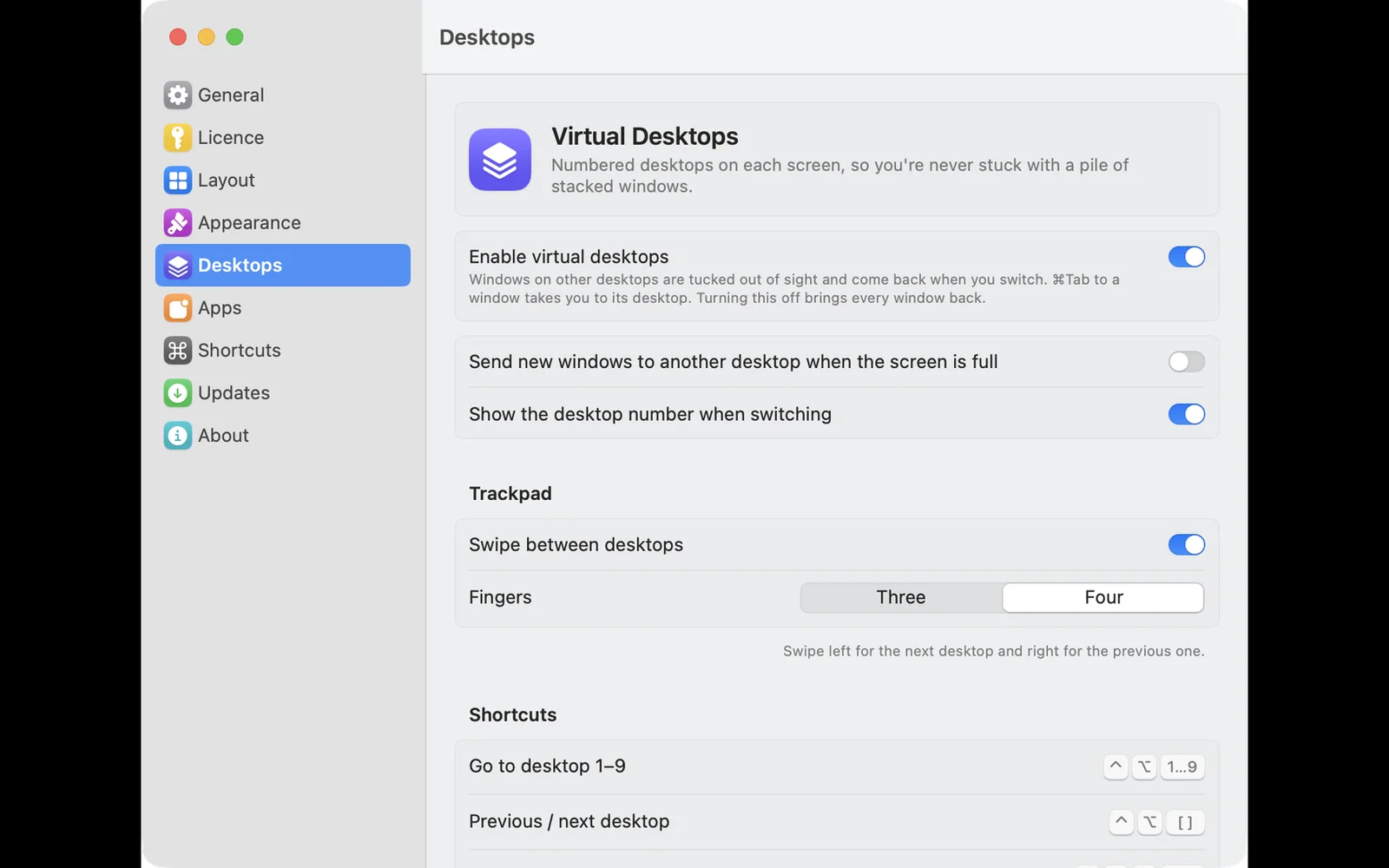
The gaps are yours to set, anywhere from 0 to 40 points, along with the size of the main window and reserved edges for your Dock or menu bar. If you like having more room than one screen gives you, turn on virtual desktops per display and switch between them with a four-finger trackpad swipe or Control-Option-1 to 9.
It is all on the keyboard if you want it: Control-Option-arrows to swap two windows, Control-Option-Command-arrows to move focus, plus shortcuts for make main, focus mode, float and pause. You can also drag a window onto another tile or display to swap or move it.
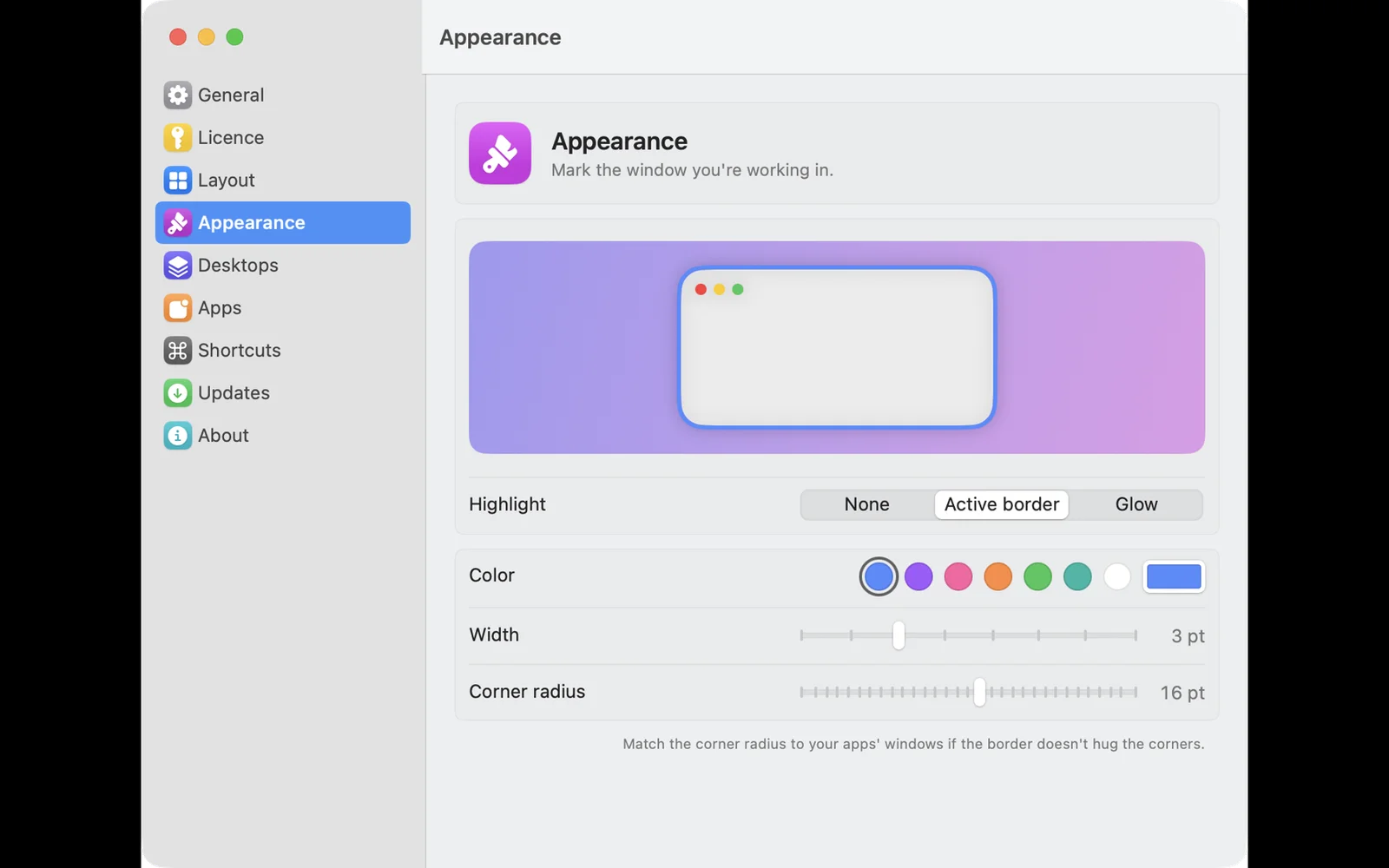
HyperTile works with the apps that refuse to resize. Windows with a fixed or minimum size get a tile that fits them, and the rest of the layout moves around it. Per-app exclusions, an optional border or glow on the active window, and multi-display setups including ultrawide are supported.
It is a native Swift app, not a wrapper around a web page. No account, no analytics, no tracking. Buy once for $15 and it covers up to 3 Macs and every future update. No subscription. If it is not for you, email within 7 days for a full refund. Requires macOS 14 Sonoma or later, on Apple silicon or Intel, plus the macOS Accessibility permission so it can move windows.
HyperTile is a Mac app for developers and designers, available on macOS. HyperTile is a paid product. Key features include automatic tiling as windows open and close, four layouts: Grid, Columns, Rows and Side, virtual desktops switched with a four-finger swipe and keyboard shortcuts to swap, focus and resize windows. It is built by Chethan Kumar. It launches on DodoLaunch in week 18 of 2027.
Prices as listed by the maker. Check the website for current pricing.
| Product | Pricing | Platforms | Rating |
|---|---|---|---|
| HyperTile | Paid | macOS | – |
| Gettapmac | From $7.99/mo | macOS | 4.8 (4) |
| CleanUai | From $9/mo | macOS, Windows | 5.0 (3) |
| Ribbon | Free trial | macOS | 4.0 (1) |
| Freshly Squeezed | Free trial | macOS | 4.0 (1) |
Honest reviews from real users help others decide.
Yes, one. macOS asks you to grant HyperTile Accessibility access the first time you run it, which is what lets an app move other apps' windows. It is the same permission Magnet, Rectangle and every other window manager asks for. Nothing else is required, and if you revoke it later, tiling simply stops.
No. HyperTile is $15 once, and if it does not suit how you work you can email within 7 days of buying for a full refund, no questions asked. There is no subscription, so there is nothing to cancel later either.
HyperTile is a paid product. Listed plans: HyperTile licence at $15/one-time. Prices are as listed by the maker; check the website for current pricing.
HyperTile is available on macOS.
HyperTile is a Mac app built for developers and designers. It is listed in Mac Apps on DodoLaunch.
Popular alternatives to HyperTile in Mac Apps include Gettapmac, CleanUai, Ribbon and Freshly Squeezed. They are ranked by reviews, votes and fit on the HyperTile alternatives page.
HyperTile is scheduled to launch on DodoLaunch in week 18 of 2027.
HyperTile is built by Chethan Kumar.
16TapMac turns a tap on your MacBook into an action
 12
Free up disk space by finding junk files, duplicates, and uninstalling apps clea
 10
The Mac window manager where nothing ever shrinks
 9
Freshly Squeezed - A powerful batch image resizing tool for Mac
 9
Capture, annotate, and share screenshots with one click on macOS
 9
Switch your whole Mac between kinds of work in one keypress
Opens your assistant with a question about us. Read what it says.
Structured, machine-readable access to every launch.

 ChatGPT
 Claude
 Perplexity
 Grok
Discussion.
Ask the makers the question you'd ask on a sales call.